
 Talenox
 Small improvements that make everyday work easier. This quarter wasn’t about big new features. It was about fixing small frustrations. Cleaning up reports.
Making compliance less manual. Here’s what’s changed.
Malaysia Updates
“IG” Tax Code Prefix Now Supported
Malaysian companies can now use “IG” as a tax code prefix inside Talenox.
If you previously needed this, you had to adjust things manually.
Now it works directly in the system.
7% EPF Employer Rate Option
You can now select the 7% EPF employer contribution rate for Malaysia.
When special EPF rates apply, you don’t need to calculate outside the system anymore.
Just select the correct setting and run payroll as usual.
Xero Export Update
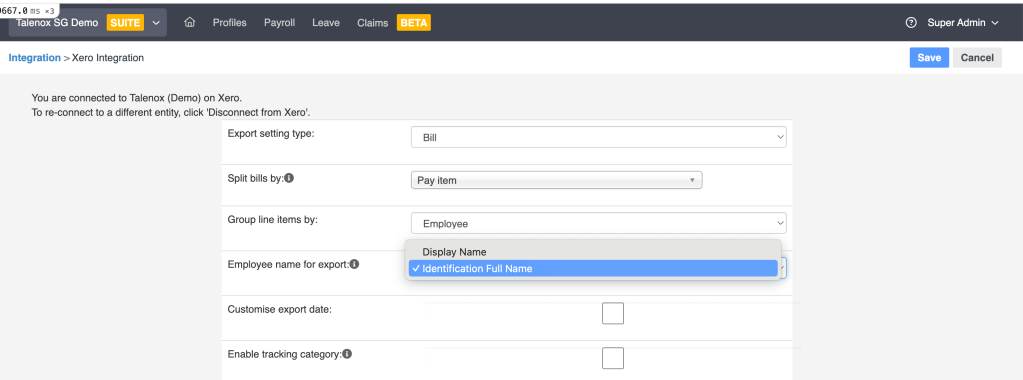
Use Official ID Name for Export
You can now export payroll data to Xero using the employee’s:
- Name on IC
- Name on Passport
Instead of just their display name.
Why this helps:
Sometimes accounting records must match official ID names exactly.
This reduces name mismatches and saves time fixing exports later.
Hong Kong Tax Forms Update
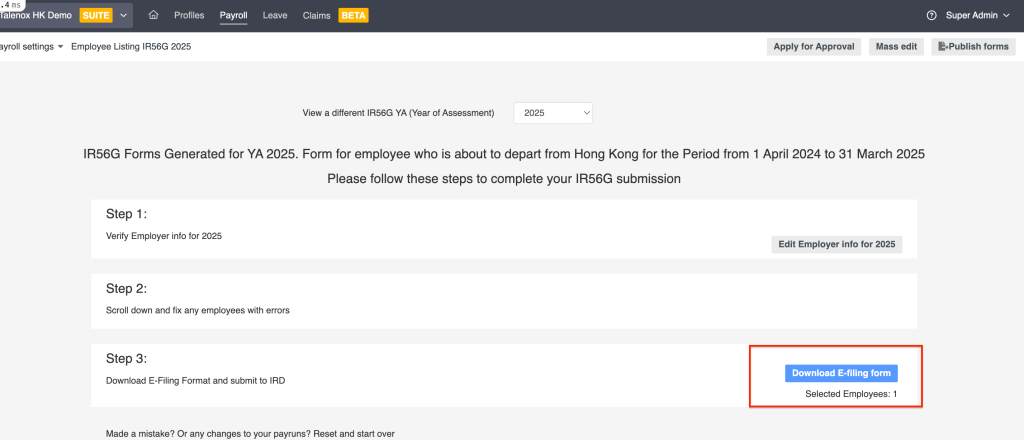
IR56E and IR56G forms are now available in XML format, not just PDF.
Why this matters:
IRD requires XML format for online submission.
Before, you had to convert the file yourself.
Now you can download the XML file directly and submit it straight away.
Report Export Improvements
We’ve made reporting more flexible.
1. Export Even If You Don’t Have Access to Everything
Previously, if you didn’t have access to every company in your account, you couldn’t export certain reports.
Now you can export reports for the companies you do have access to.
No more getting blocked.
2. Salary Data Respects Your Permissions
If you’re allowed to see salary information, it will appear in the report.
If you’re not allowed to see salary information, those fields will stay blank.
You can still export the report without exposing restricted data.
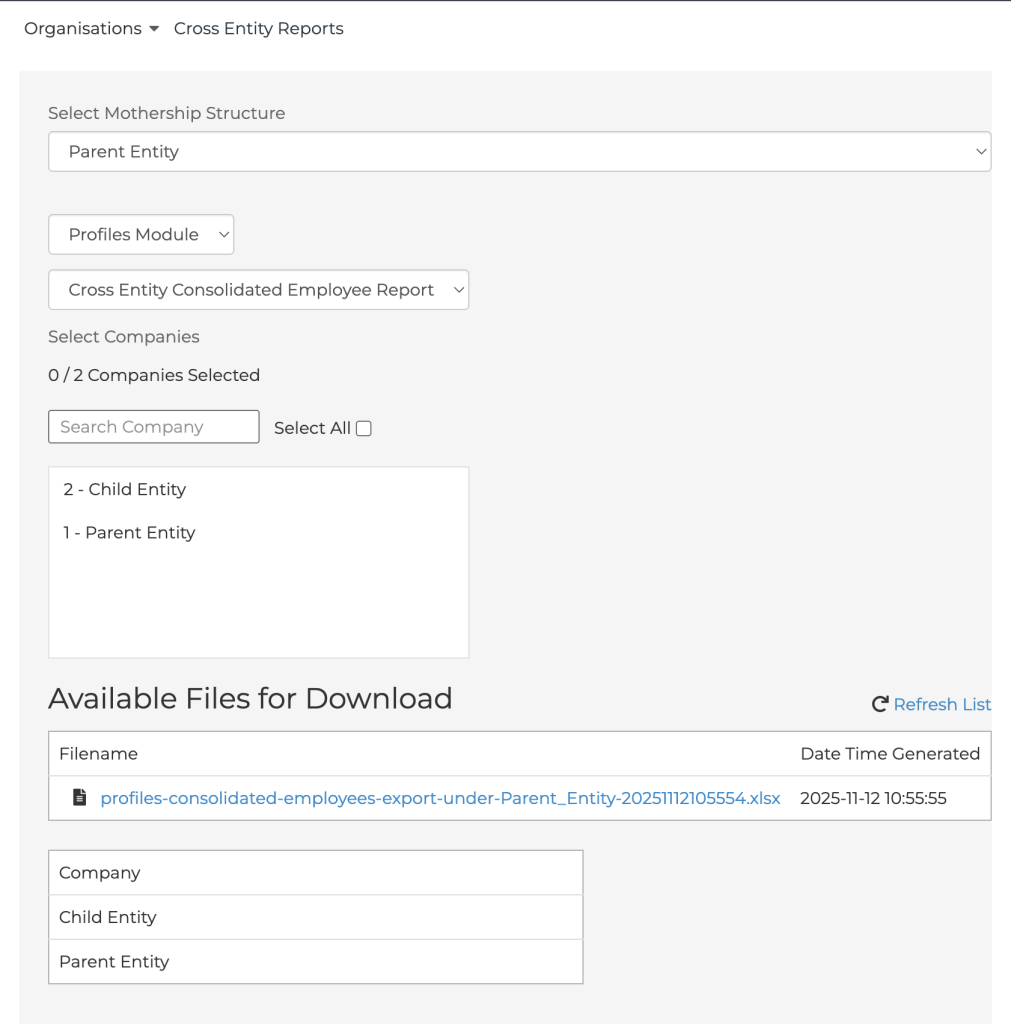
3. Simpler Export Steps
The export process is now:
- Choose the module
- Choose the report
- Choose the companies
The list automatically adjusts based on what you have access to.
Marshall Islands Added
Marshall Islands is now available as a sign-up country. Yay!
Default currency is $USD.
Claims Report Now Shows Tax Amount
The Claims Overview Report now includes a Tax Amount column.
It appears between:
- Receipt Amount
- Billed Currency
This makes it easier for finance teams to see how much tax was included in each claim.

And….that wraps up Q4!
If you want to keep up with future improvements, we regularly share updates on the Talenox blog.
You can read more here: https://blog.talenox.com/
Related posts:
![hr outsourcing finance]()
HR Outsourcing for Hong Kong's Finance & Fintech Sector: Compliance and Scale
27th Mar 2026![HR outsourcing Malaysia SME]()
Malaysian SME Growth Guide: When & How to Outsource Your HR (With Checklist)
18th Mar 2026![Singapore Budget 2026 SME Guide: Everything You Need to Know]()
Singapore Budget 2026 SME Guide: Everything You Need to Know
09th Mar 2026![employee appreciation day]()
Creative Ideas for Employee Rewards That Actually Work
02nd Mar 2026![paternity leave shared parental leave singapore]()
2026 Update: What Changed for Paternity & Parental Leave in Singapore?
26th Feb 2026![HR outsourcing for smart SMEs singapore]()
HR Outsourcing for Small Businesses in Singapore: The Smart SME's Guide (2026)
20th Feb 2026