
 Talenox
 Hello again! We are back with another round of product updates. Q3 was all about simplifying the little things. The things that usually slow you down or make you go “wait… why is this like that?”.
Nothing flashy. Just meaningful improvements that help your team save time, reduce mistakes, and keep your HR processes super clean.
Let’s jump right in.
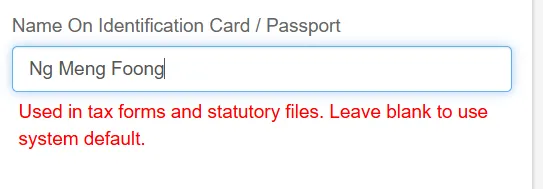
Full Identification Name Field
We opened up the full identification name field so what you type is exactly what shows up in statutory files and tax forms. No more guessing how the system formats the name.
Why this matters
New Claims Policy Instructions Field
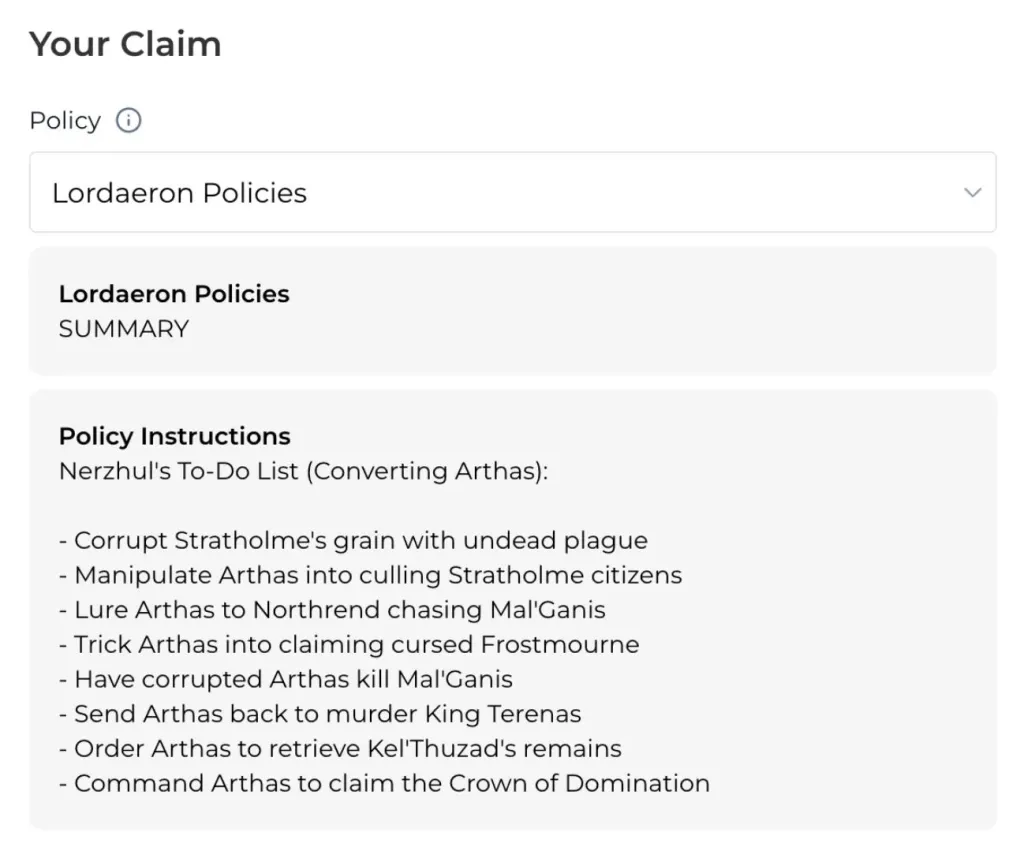
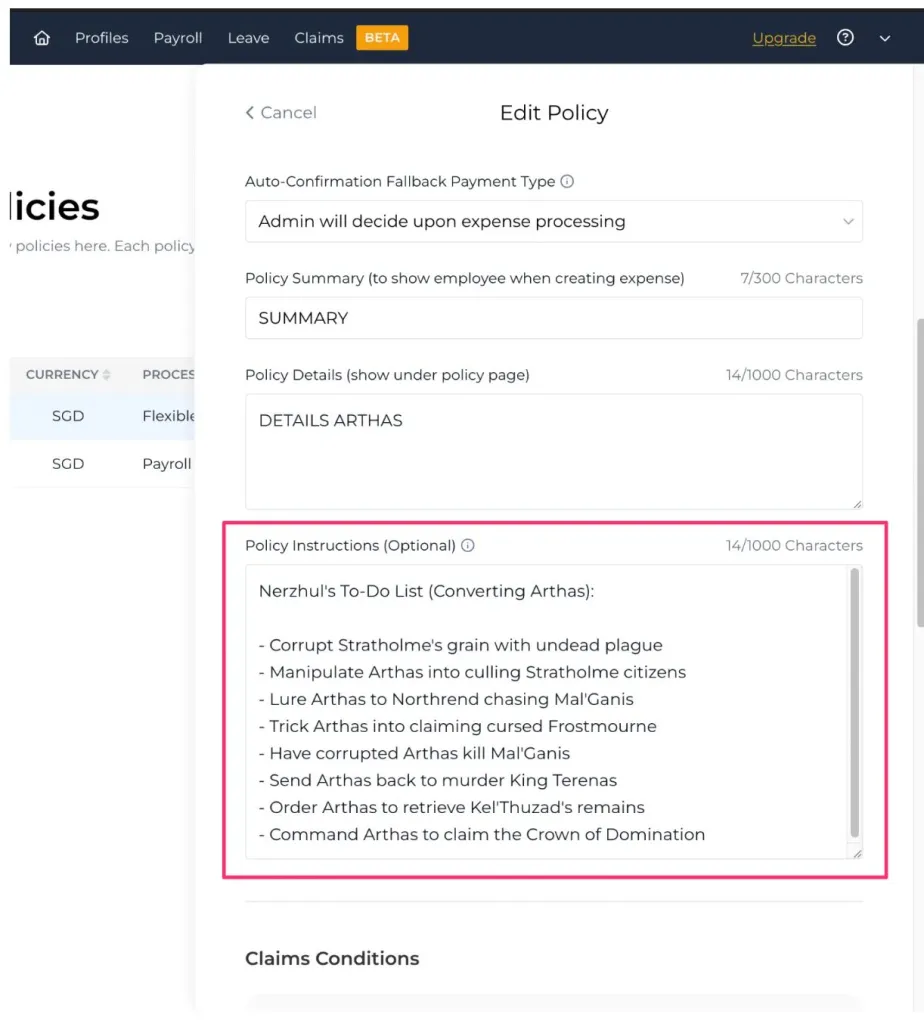
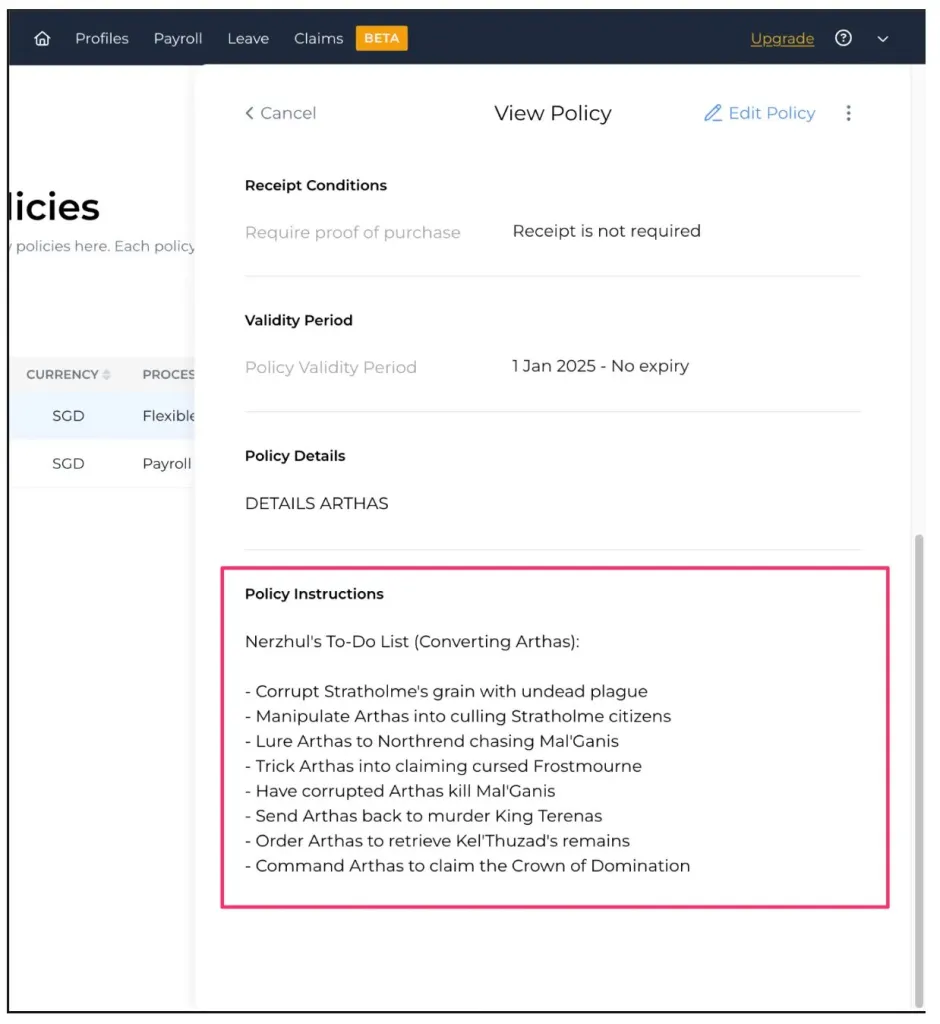
Admins can now add clear instructions directly inside each claims policy. This helps employees know exactly how that policy should be used before they submit anything.
Why this matters
Many users wanted a way to communicate guidelines for each policy. Now employees see the instructions immediately when submitting a claim, which reduces back-and-forth.
Expense details page (Employee View):
Policy edit page (Admin View):
Policy display page (Admin View):
New Payslip Settings
You now have more control over how payslips look and what they show. These new settings live under Accounts & Preferences > Payslip.
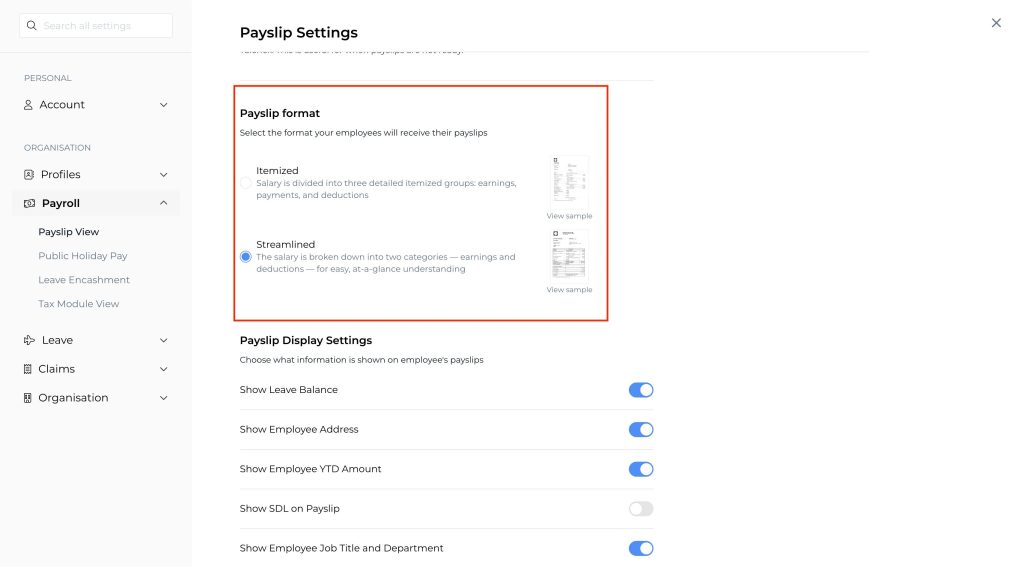
Payslip Format
Choose between Itemised or Streamlined formats, depending on how much detail your company prefers.
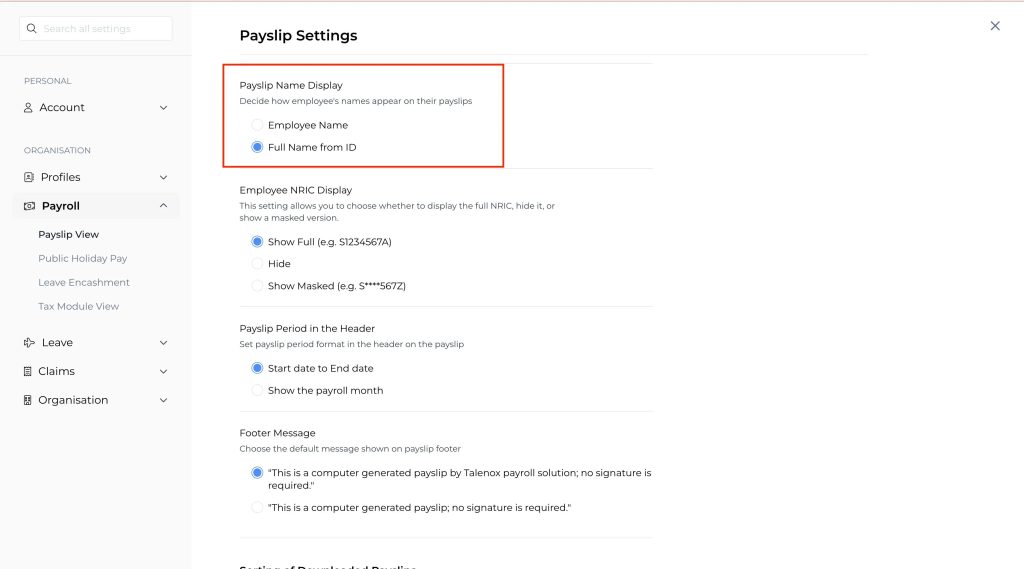
Payslip Name Display
Decide how employee names should appear on the payslip.
You can show:
- The employee’s name, or
- The full identification name from their ID
Why this matters
Every company structures payroll differently. Some prefer a simplified overview, while others need a more detailed breakdown for internal audit or compliance reasons. These new settings give you the freedom to choose what works best for you, while keeping payslips clear and consistent for your employees.
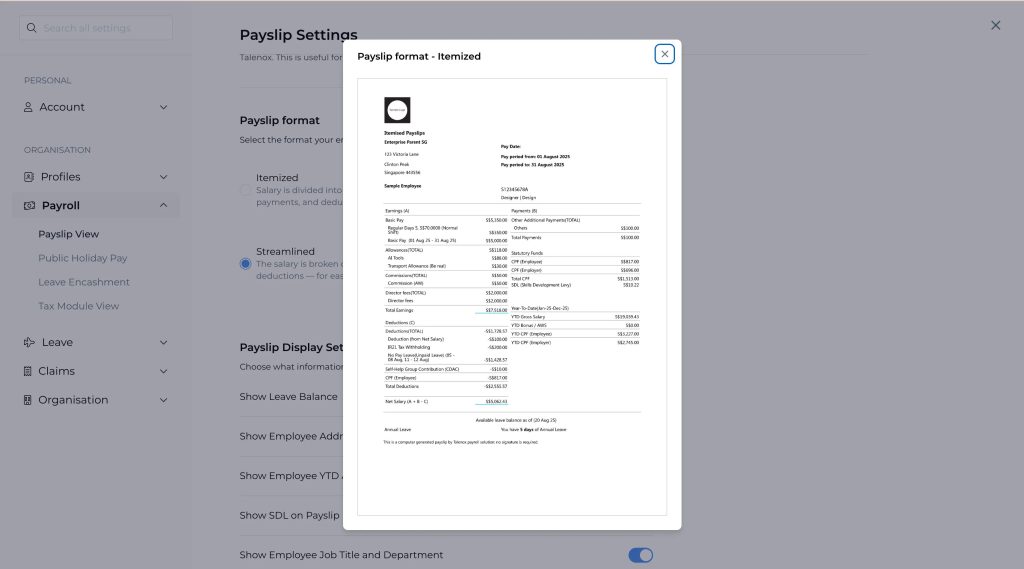
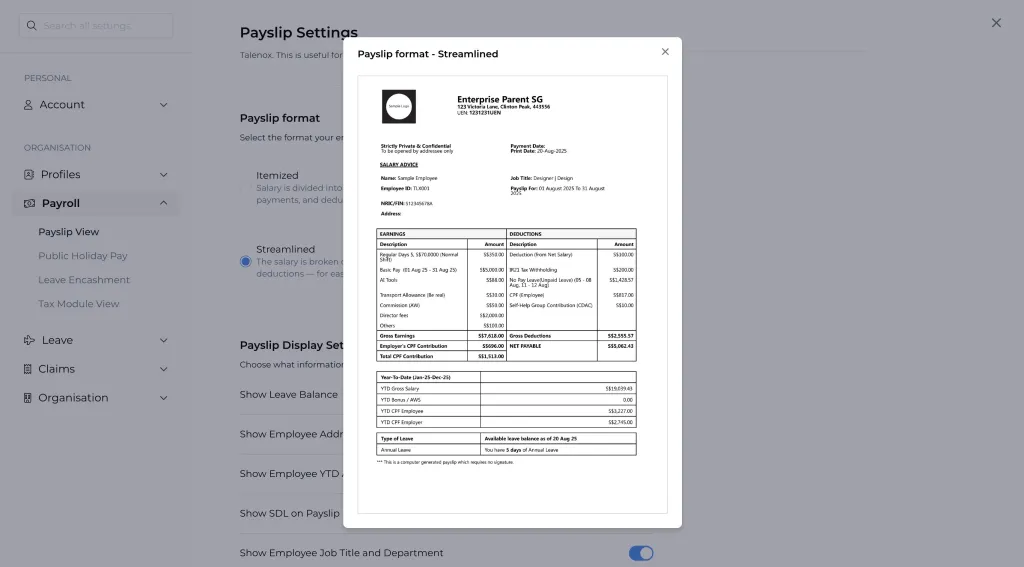
Payslip Previews
To help you visualise the differences, here is how each format looks.
Itemised Format
Streamlined Format
Updates for Malaysia
We also made some improvements tailored for companies operating in Malaysia. These updates help ensure smoother setup, cleaner billing records, and better readiness for compliance changes coming later this year.
Required Company Details for Malaysian Entities
If you are a Malaysian company using Talenox, you will now be asked to complete a few fields before saving your Company Details.
The required fields are:
- Billing Entity Registration Number (BRN / SSM)
- Company phone number
- Complete company address
- Billing Entity Tax Number (inside Billing Payment Information)
If any of these are missing, Super Admins will see a reminder banner on the dashboard.
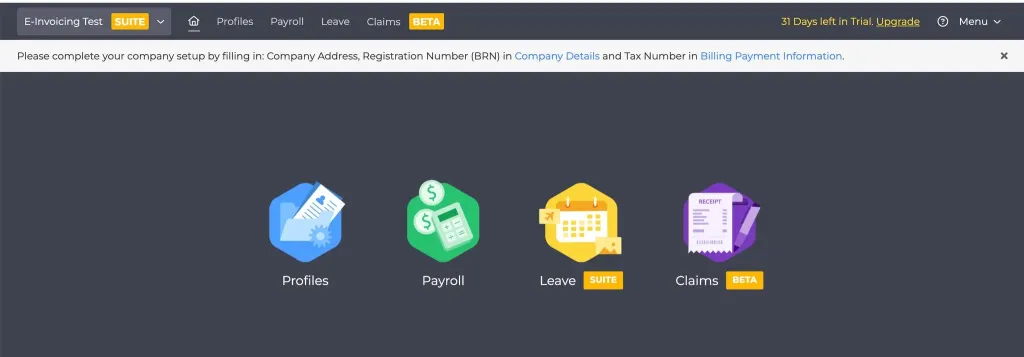
This banner appears only for Super Admins to highlight missing mandatory details.
If users try to save without completing the required fields, they will see error states prompting them to fill them in.
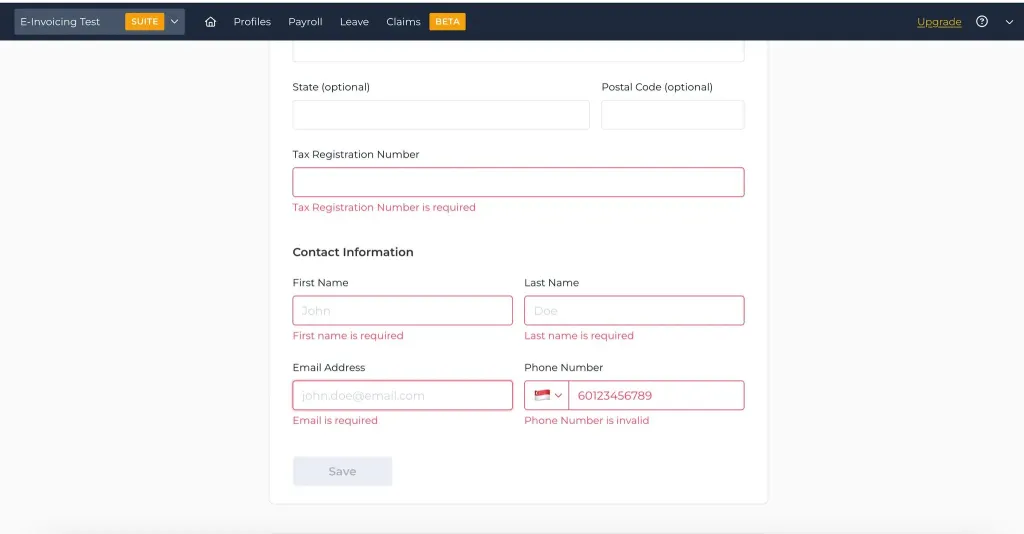
Why we did this
These fields are essential for e invoice generation. To produce accurate documents that follow LHDN guidelines, we need all company information to be complete and up to date.
EPF 2 Percent Contribution for Foreign Employees (Starting 1 Oct 2025)
LHDN and KWSP introduced a new requirement starting October 2025. Foreign employees (non Malaysians) with valid work passes must contribute EPF at both employer and employee levels.
What this means for you
- Employer contributes 2 percent
- Employee contributes 2 percent
- Applies only to non Malaysians
- Applies only to employees below 75
- Domestic workers are excluded
Inside the employee profile, make sure that Is contributing EPF is set to Yes for affected employees.
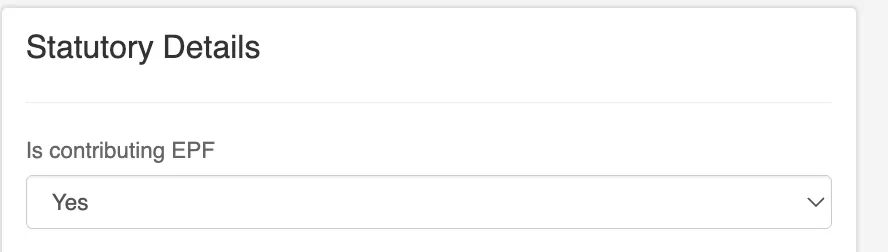
Why this matters
Many companies were unaware of this change. Updating your payroll settings early ensures your monthly EPF calculations stay compliant.
We also made a couple of improvements to the Claims module this quarter. These updates focus on giving companies more control over how approvals work, especially in teams with multiple approvers or more complex approval flows.
New Preferred Approver Setting and Self Approval Control
We heard from many of you that claim approvals can get messy when several approvers are involved. This update helps clean that up and gives both admins and employees clearer control.
Approval Flow Settings Page
Admins now have access to a cleaner, more structured Approval Flow Settings page. This is where you can configure how approvers are assigned and whether employees are allowed to choose their preferred approver.
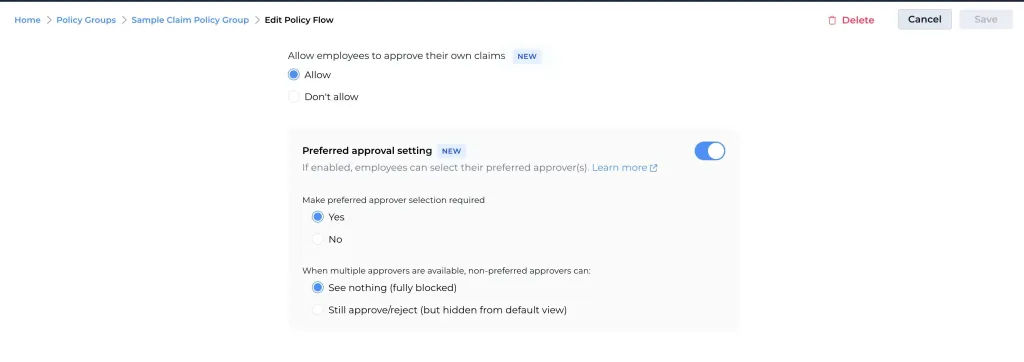
Employees Can Choose Their Preferred Approver
Employees will now see a section in the claim submission view where they can select their preferred approver.
Admins can choose whether this selection is optional or required.
This helps employees send claims to the right person immediately instead of waiting for a default approver who may not be the correct one.
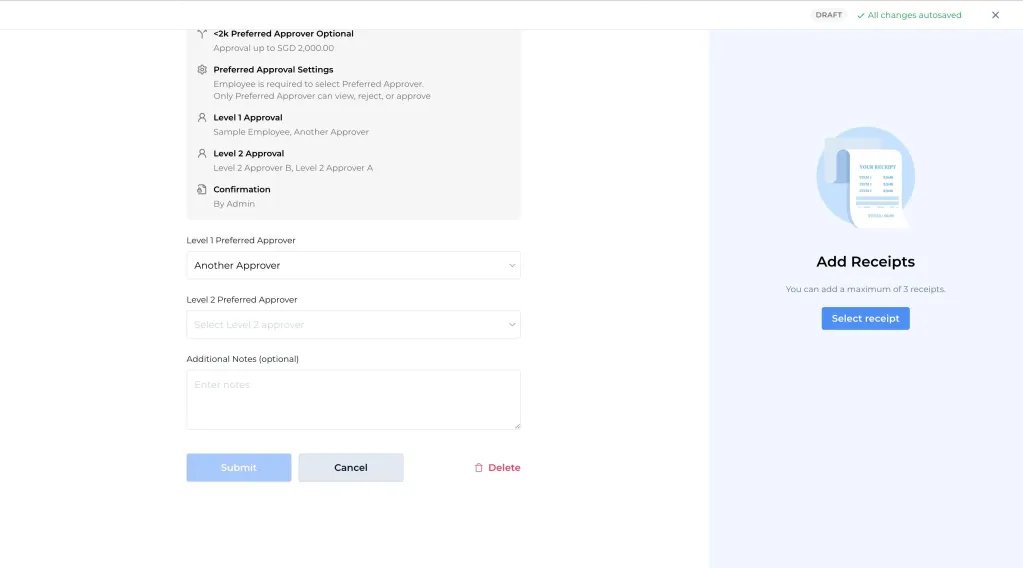
Updated Pending Claims UI Showing Preferred Approvers
When a claim is pending approval, the system now clearly shows which approver is preferred and which ones are not. This helps both employees and approvers understand the flow at a glance.

Why this matters
Every company has its own approval style. Some teams prefer strict routing, while others want flexibility. These updates aim to strike a balance, giving admins more control while making the process clearer for employees
That wraps up Q3 2025
These were not huge features, but they are the kinds of improvements you will feel in your day to day work. We hope they make your HR and payroll processes smoother and more predictable.
If you want a closer look at any of these updates or want help applying them to your workflow, our team is always happy to guide you.
Related posts:
![Singapore Budget 2026 SME Guide: Everything You Need to Know]()
Singapore Budget 2026 SME Guide: Everything You Need to Know
09th Mar 2026![employee appreciation day]()
Creative Ideas for Employee Rewards That Actually Work
02nd Mar 2026![Talenox Q4 2025 Product Updates: Built for a Smoother 2026]()
Talenox Q4 2025 Product Updates: Built for a Smoother 2026
27th Feb 2026![paternity leave shared parental leave singapore]()
2026 Update: What Changed for Paternity & Parental Leave in Singapore?
26th Feb 2026![HR outsourcing for smart SMEs singapore]()
HR Outsourcing for Small Businesses in Singapore: The Smart SME's Guide (2026)
20th Feb 2026![cpf ceiling changes 2026]()
CPF Changes 2026: What HR Managers Need to Know About the New $8,000 Salary Ceiling
28th Jan 2026